Follow the instructions bellow to connect your Celerity account to your PayJunction account.
Process Overview
- Create the API Credentials in the PayJunction portal.
- Save the PayJunction API in Celerity Practice.
1. Create PayJunction API Credentials
- Log into your PayJunction account as an administrator. Then go to More, and select API Credentials.
In the top-right corner of this view, click the Create New API Credential button. - Enter a First Name, Last Name and an Email Address.
To ensure that report titles lineup properly between PayJunction and Celerity, please use the following format:- FIRST NAME: "Celerity"
- LAST NAME: nameOfYourBusiness (can be abbreviated if needed, just don't use spaces)
-
EMAIL ADDRESS: noreply@payjunction.com:
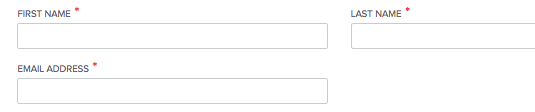
- Create a new unique Username and Password.
- For the Username: Use the same First and Last name listed above separated by underscore (Ex: "Celerity_nameOfYourBusiness").
- For the Password: Use at least 12 characters, with at least one uppercase, one lowercase and one number:
Select the account that will be used by Celerity Also select the account in the Default Credit Card Account drop-down.
- Click the Create button at the bottom of the page to save the new API credentials.
2. Save the PayJunction API Credentials in Celerity
To complete the integration, please reach out to Celerity at 888-461-0226 x 104 to provide your API credentials.